Installation planning
Aluminum Pergola Installation Manual: Check It Before Assembly
Check your aluminum pergola installation manual against the model, mounting configuration and accessories before booking the crew or opening the hardware packs.
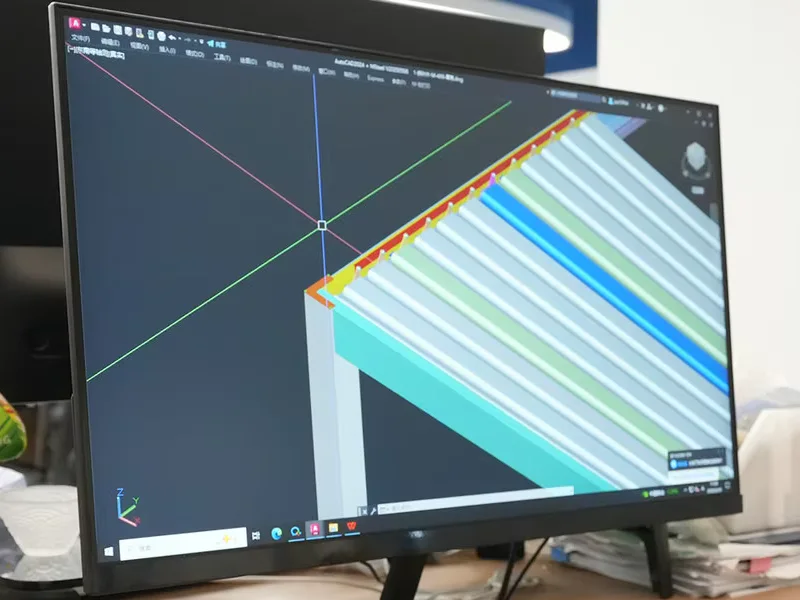
Get the installation manual for your exact aluminum pergola before the installation crew arrives. Match it to the order and the labels on the shipment. A guide for a similar-looking frame can leave you searching for a component that belongs to another configuration.
A public customer review dated October 10, 2026 described time spent locating an online manual before installers could use it. Another review reported receiving the wrong manual more than once. Those are individual accounts, but they point to a useful check: the document should be ready for the people doing the work.
This guide helps you check the paperwork. The actual assembly method should come from the confirmed model instructions and your installer’s assessment of the site.
Make one record for the order and its documents
Keep the quotation, order confirmation and manual together. Save the original files so everyone can identify the version they reviewed. A web address alone can become difficult to trace if a supplier replaces the file later.
Ask the supplier which manual covers the purchased configuration. If the document serves several sizes, request the applicable section and any separate instructions for your accessories. Record the answer alongside the file.
| Check | Compare with | Resolve before work starts |
|---|---|---|
| Model name or reference | Order confirmation and shipment labels | Different model names or unexplained substitutions |
| Size and layout | Confirmed drawing | A diagram for another footprint or post arrangement |
| Mounting configuration | Site plan and quotation | Wall-mounted and freestanding details mixed together |
| Manual version | Supplier’s written confirmation | An old file or a revision that cannot be identified |
| Parts references | Packing list and component labels | A part number that appears only in another guide |
| Accessories | Confirmed accessory schedule | Missing instructions for a screen, curtain or control |
A blank cell is a question for the supplier. Fill it before treating the document set as complete.
Check the mounting configuration separately
A kit’s appearance does not establish how it should connect to a slab, a raised deck or a wall. Ask your installer to review the actual connection details and supporting surface with the correct manual.
For a wall-mounted order, confirm that the document shows the purchased arrangement. If it uses a different support layout, request the correct drawing rather than trying to adapt the illustrations yourself. A drawing that explains the frame may still leave site-specific work unresolved.
The TTH engineering information page is a useful place to start the document discussion. It does not replace an assessment of your property.
Give accessories their own document check
The frame manual may not describe every optional accessory. For each screen, curtain or lighting item in the order, ask what additional instructions apply and which mounting components it needs.
Where controls or powered equipment are included, confirm the supplied items and any work assigned to a qualified professional. Avoid assuming that a charging cable, power supply or connection service is included because a control appears in a product photograph.
The screen and curtain mounting-parts checklist helps turn that discussion into a written accessory schedule.
Let the installer read it before setting a date
Send the confirmed documents to the installer while there is still time to ask questions. Have them identify required site preparation, handling arrangements and steps that depend on other work being finished.
Ask for the assembly estimate after that review. A customer’s experience with another kit cannot establish the time needed for your project. The DIY or professional assembly guide can help you define the work you intend to handle yourself.
Keep an accessible copy on site. Confirm whether the crew prefers a printed copy or a file they can open without relying on a mobile connection.
When the manual and the boxes disagree
Pause the affected work and make the mismatch specific. Send the supplier the order reference, the relevant manual page and photos of the component labels. Explain which step cannot be matched to the supplied parts.
For example, a useful message reads: “Our order lists a wall-mounted configuration. The attached manual shows a freestanding arrangement on page X. Please confirm the correct document for our order and identify the drawing our installer should follow.”
If a component appears absent, check the packing list and separate accessory boxes before reporting it. The kit and packing-map guide explains how those records fit together. If the supplier confirms a missing item, use the missing-parts support checklist to keep the case clear.
Keep the handover copy
Save the final confirmed manual with any written corrections and the installer’s handover information. Later service work is easier when the owner can identify the installed configuration and the documents used for it.
Preparing a TTH quotation inquiry? Include the site photos and preferred mounting arrangement, then ask which drawing and manual will accompany the proposed aluminum pergola. Getting that answer early gives the installer something concrete to review.
Sources and scope
The editorial questions above were informed by individual public customer accounts: manual retrieval concern, October 10, 2026 and wrong-manual concern, October 3, 2026. Review dates use UTC as returned by the source. These accounts have not been independently verified and do not establish failure rates or the contents of any TTH shipment.
